
Pending Actions
Some things need you to act, not just to know. The Dashboard shows them in two places until they are done:
- a pill in the top bar, on every page — for example 3 refunds failed
- an Action required card at the top of Home
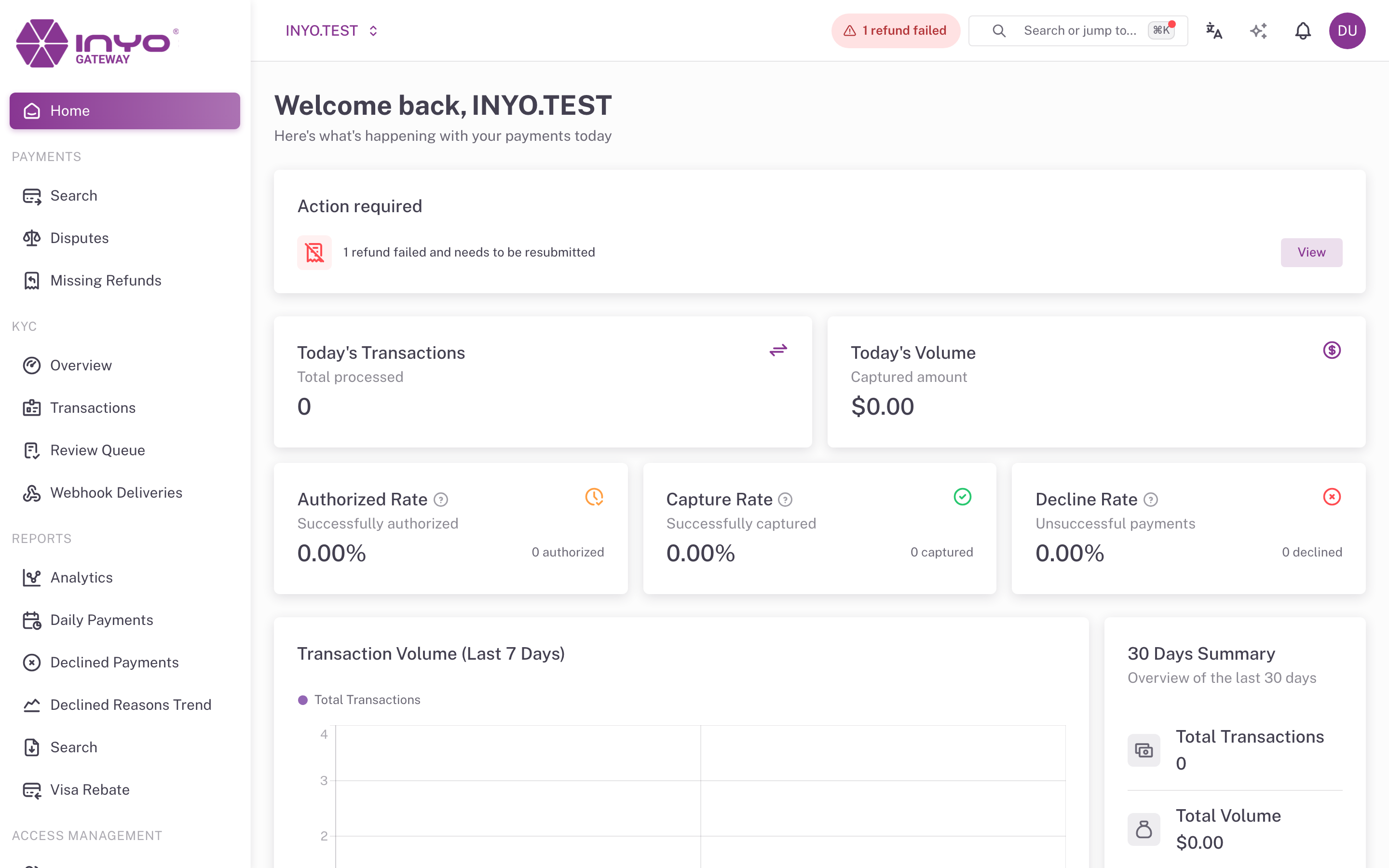
Both open the list of what is pending. They are not notifications: you cannot dismiss them or mark them as read. They go away when the work is done.
What Counts as Pending
| Pending item | It counts when | It stops counting when |
|---|---|---|
| Refunds that failed | A payment's latest status is REFUND_FAILED and the failure happened in the last 30 days | The refund is resubmitted (see When a Refund Fails), or 30 days pass since the failure |
A payment whose refund failed twice counts once. A failure older than 30 days leaves the count without being resolved: the payment stays in REFUND_FAILED and can still be found in Search.
Who Sees It
- Users with the refund permission. Without it the pill and the card are not shown.
- With a group of companies selected, the number is the sum of the companies where you can refund.
Using It
- Click the pill (or View on the card). Search opens filtered by status
REFUND_FAILEDfor the last 30 days. - Open each payment and resubmit the refund from its details.
- The number goes down by itself, usually within a couple of minutes: refunds are processed asynchronously.
On a narrow screen the pill shows only the warning icon and the number.
Right after a failure or a retry, the count and the Search results can briefly differ.