
User Management
The Access Management menu's user pages cover the account lifecycle: creating Dashboard users, finding them, and administering their status. What those users can do is defined separately, by the access groups covered in Access Management.
Requires: manage user access (deleting users additionally requires delete user access).
Searching Users
Access Management → Search lists every user in the active organization:
| Column | Notes |
|---|---|
| Actions | Row actions (below) + open user details |
| Name / Username / Email | Identity |
| Groups | The user's access groups, as chips |
| Enabled | Enabled / Disabled status chip |
Row actions (each opens a confirmation dialog):
| Action | Effect |
|---|---|
| Block User | Disables the account — the user can no longer sign in |
| Enable User | Re-enables a blocked account |
| Delete User | Permanently removes the account |
| Reset Password | Set a new password for the user (entered twice, minimum 6 characters) |
Prefer Block over Delete when someone leaves: it preserves the account's identity in the activity log history while cutting access immediately. Every one of these actions is itself recorded in the activity log.
Creating a User
Access Management → Create User registers a new account:
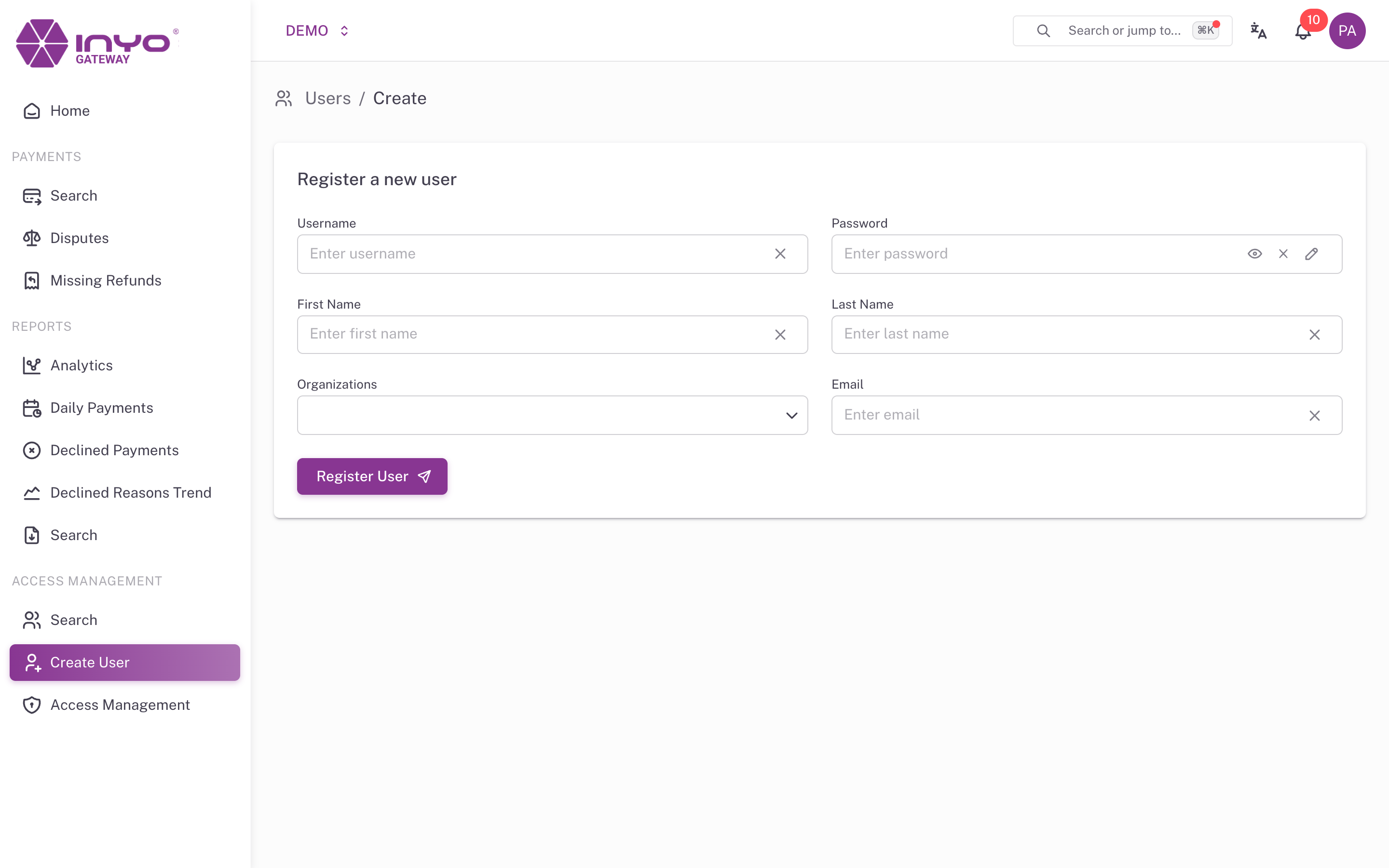
| Field | Notes |
|---|---|
| Username | Sign-in identifier — required |
| Password | Initial password — required |
| First Name / Last Name / Email | Required |
| Organizations | One or more organizations the user belongs to (you can only grant organizations you belong to yourself) — at least one required |
Click Register User to create the account.
The initial password is not flagged for change at first login — deliver it through a secure channel and have the user rotate it. Also note that a freshly created user has no access groups, so they'll see an empty Dashboard until you assign them to a group in Access Management → Members.
User Details
Opening a user from the search results shows their profile — email, organizations, status — and User's Access Groups, the groups this user belongs to. Group membership is managed from Access Management, not from this page.