
Daily Payments
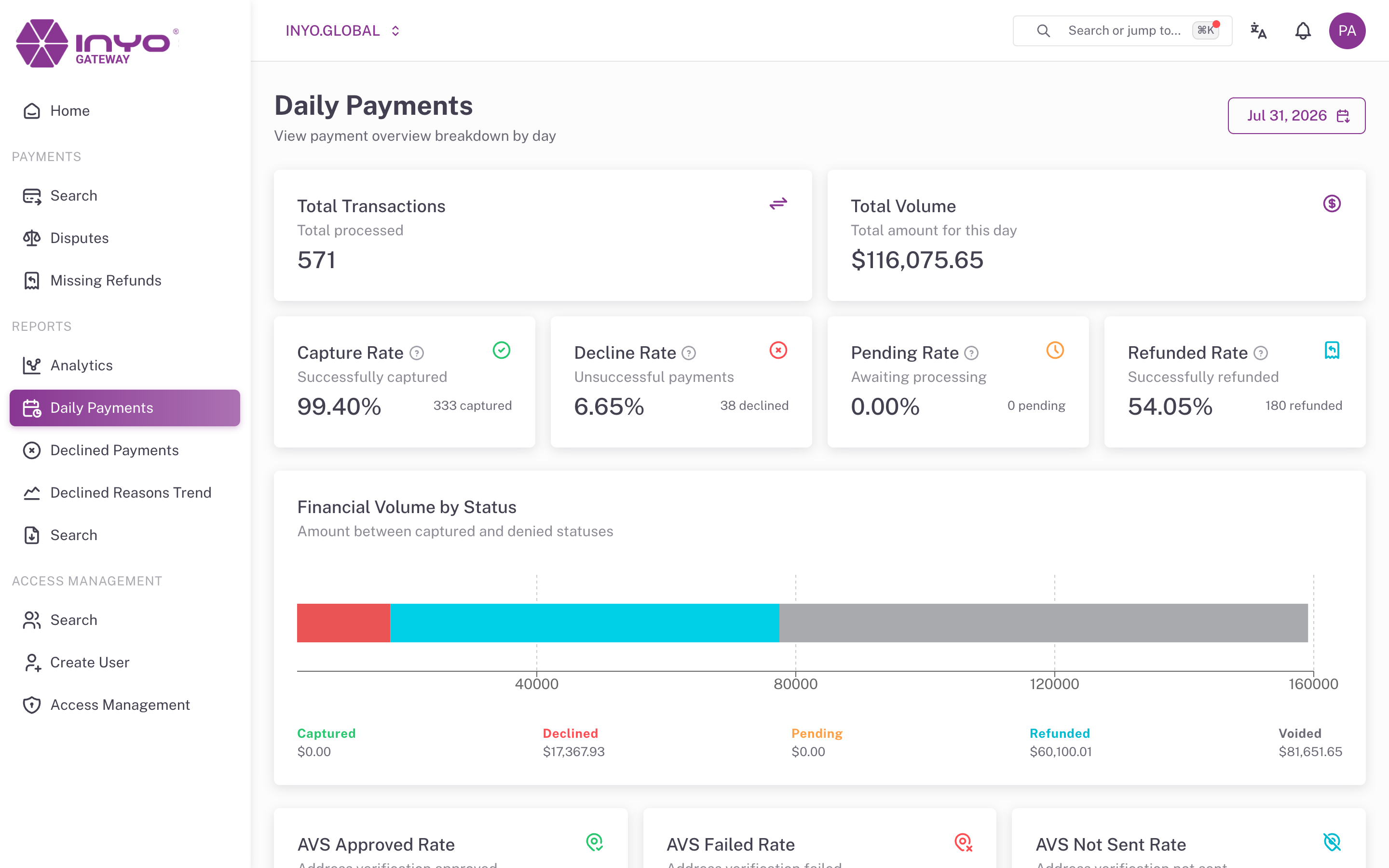
Reports → Daily Payments answers "what happened on this day?" — a complete single-day breakdown, ideal for end-of-day reconciliation or investigating a date a customer or finance team has flagged.
Requires: manage reports.
Picking the Day
A single date picker (defaulting to today) drives the whole page. The selected date is kept in the URL.
What You Get
KPI cards:
- Total Transactions and Total Volume for the day
- Capture Rate, Decline Rate, Pending Rate, Refunded Rate — each with a tooltip stating its denominator
- AVS Approved / Failed / Not Sent rates
- CVC Approved / Failed / Not Sent rates
Chart: Financial Volume by Status — the day's amounts split across Total Volume, Captured, Declined, Pending, Refunded, and Voided.
Related Views
- Same metrics across a multi-day window: Analytics
- The individual transactions behind the day's numbers: Payments → Search with the Period filter set to that date
- The day's declines with reason codes: Declined Payments