
Declined Reasons Trend
Reports → Declined Reasons Trend aggregates declines by rule and trends them over time. Where Declined Payments shows individual transactions, this page shows which decline reasons are growing, shrinking, or dominating — the view for deciding where tuning effort pays off.
Requires: manage reports.
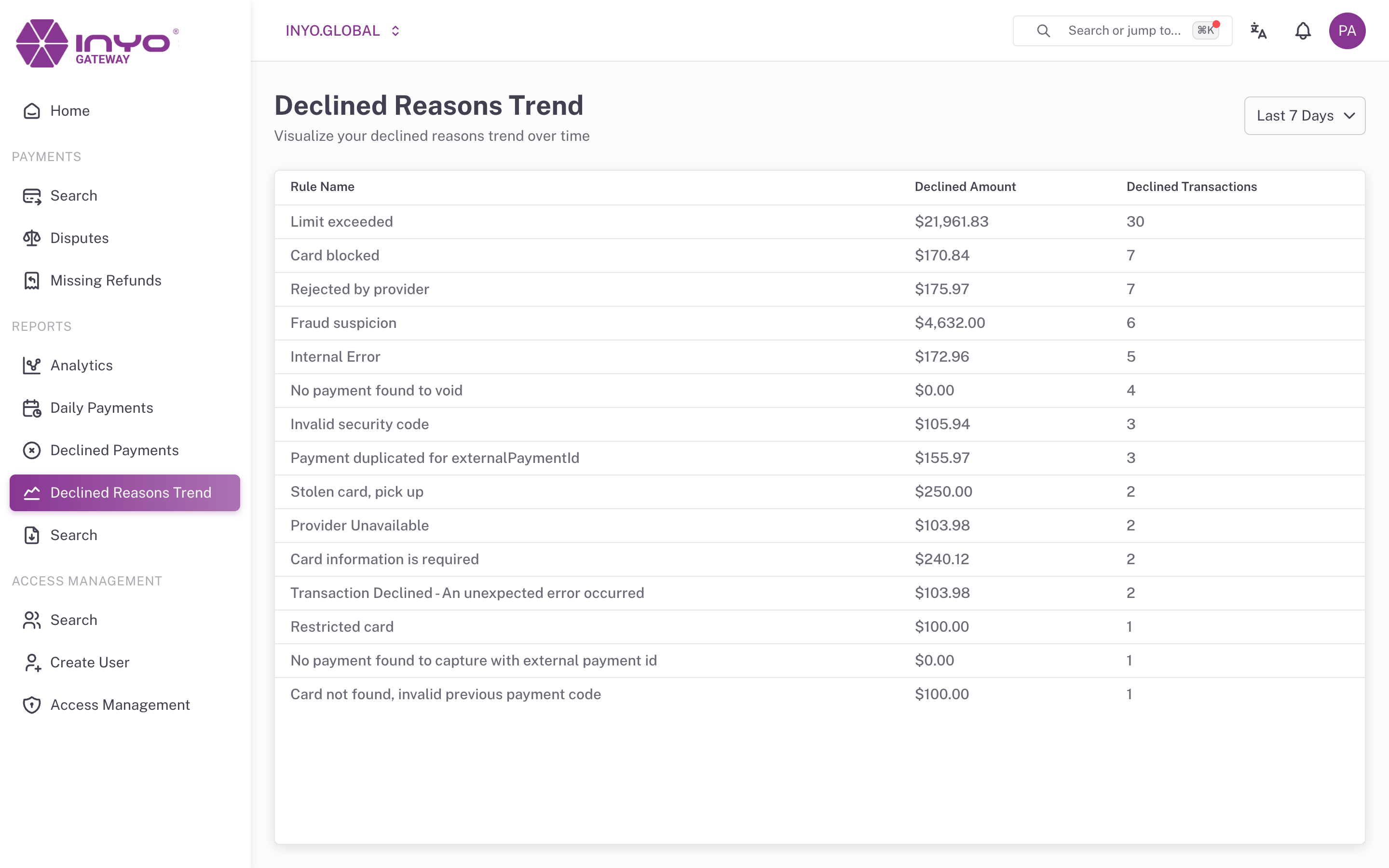
The View
Select a window — Last 7 (default), 30, 60, 90, or 120 days. The page shows a trend chart plus a grid with one row per decline rule:
| Column | Meaning |
|---|---|
| Rule Name | The rule or reason that produced the declines |
| Declined Amount | Volume declined by this rule in the window |
| Total Amount | Total volume evaluated |
| Declined Transactions | Count declined by this rule |
| Total Transactions | Total count evaluated |
Reading It
- A rule with high declined amount but low count is blocking a few large transactions — often worth a manual review of those specific payments in Search
- A rule trending upward after a configuration or traffic change is your regression signal — compare its start date against recent changes
- Chronic high-volume rules are candidates for threshold tuning with Inyo — balanced against the fraud exposure described in Mitigating Fraud