
Quick Search
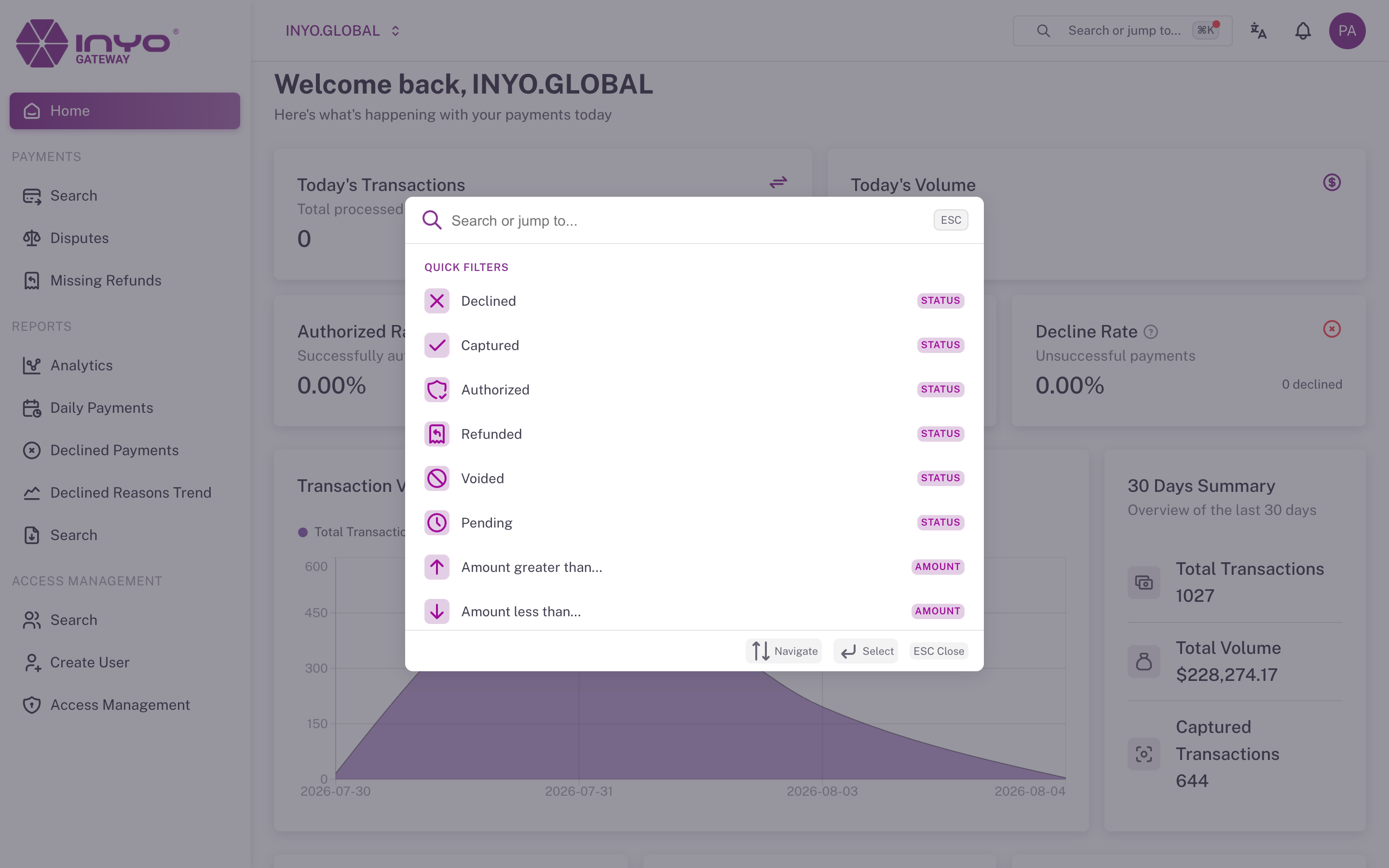
Quick Search is the Dashboard's command palette: press ⌘K (macOS) or Ctrl+K (Windows/Linux), or click Search or jump to... in the top bar. It is the fastest way to navigate and the fastest way to start a payment search.
What You Can Type
Page names — type any part of a page name (analytics, disputes, users) and jump straight there.
Payment queries in plain language:
| You type | You get |
|---|---|
declined | Payments Search filtered to declined |
declined last 30 days | …restricted to the last 30 days |
captured > 500 | Captured payments above 500 |
< 50 | Payments under 50 |
| a payment ID (UUID) | That payment's details page, directly |
Amount operators (>, <), statuses, and periods combine freely; periods snap to the standard 7/30/60/90/120-day windows. Keywords are understood in English and Portuguese (recusados, capturado, maior que, últimos 7 dias).
Quick Filters — if you'd rather click than type: status (Declined, Captured, Authorized, Refunded, Voided, Pending), amount, time period, and section shortcuts.
Good to Know
- Results are organized into Suggestions, Quick Filters, Navigation, and Help; navigate with the arrow keys, select with Enter, close with Esc
- Quick Search respects your permissions — pages you cannot access don't appear
- A short interactive tutorial appears on first use; reopen it any time via Show tutorial again under Help