Compliance & Fraud
Inyo360
More than KYC. Built for payments.
Most identity checks stop at the document and the selfie. Inyo360 is a unique solution designed for payments and money transfer, so it is built to connect: one hosted session assesses the customer, their device and their card, and works with the systems that move and protect the money.
Identity and documents
Biometrics
Payment card
Inyo360
One signed result and trust score
Device data
Geolocation
Behavioral data
Weighed together
Works with
Inyo anti-fraud
Protects Inyo's money transfers
Inyo Gateway
A token for the verified card
Your system
One signed webhook or redirect
How Inyo360 works
One session. Several signals analyzed. One signed result.
Identity data
- Identity data compared with the document and with what you already hold
- The phone line checked with the carrier: the kind of line, such as VoIP, and whether it is registered to the person
- The name screened against sanctions lists
Documents
- Passports, driver’s licenses and identity cards checked for authenticity, type and expiry
- US driver’s licenses matched against the issuing DMV’s records
- MRZ and barcode decoded and checked against the printed data
Biometrics
- The selfie matched to the document portrait
- Liveness: a live person in front of the camera, not a reproduction
- Age estimation consistent with the document’s date of birth
Device data
- The device recognised across visits, by an identifier that persists
- Tampered browser environments
- Identifications replayed from another session
Geolocation
- Connections routed through VPNs, proxies, anonymising networks or hosting providers
- Documents limited to the issuing countries you accept
Behavioral data
- Signals that a session is driven by automation rather than by a person
Payment card verification
New add-on
- The card read on the customer’s own phone, confirmed instead of typed
- Checked as a genuine physical card, ownership verified against the identity
- Tokenized in Inyo Gateway, without a card form
And much more.
Every signal counts toward one trust score.
All from one integration.
Create an Identity Verification session and add the optional paymentCard step. Add tokenize to it to receive a ready-to-use Inyo Gateway card token.
The result arrives on your webhook, signed with your secret, and stays readable at GET /v1/sessions/{sessionId}.
POST /v1/sessions

{
  "userRef": "user-123",
  "language": "en",
  "delivery": {
    "mode": "webhook"
  },
  "paymentCard": {
    "capture": true,
    "tokenize": {
      "storeLaterUse": true
    }
  }
}
Identity Verification
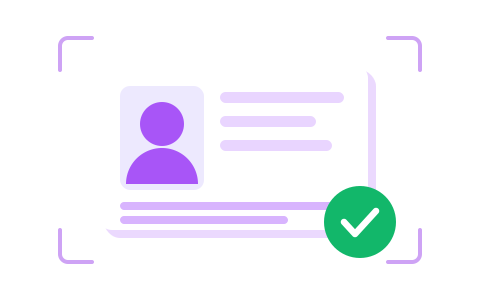
Know your customer is who they say they are. A government ID and a selfie in the hosted widget, checked across every signal Inyo360 holds.
- A real, readable document
- A live face, matched to the ID
- Phone, sanctions lists, device and connection, in the same session
Payment Card Verification
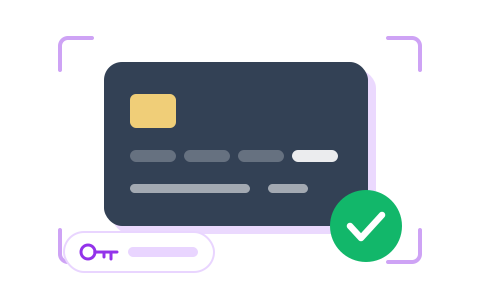
Know the card your customer pays with belongs with the identity they just proved, and get a gateway token for it without building a card form.
- Read on the customer's own phone
- Redacted before anything is stored
- Checked against the card and its holder, then tokenized
Want to keep control of your own UI?
Post the ID and selfie you captured yourself, and read the same result.
Collect the card in your own payment page with inyo.js and get an Inyo Gateway token.